
NiCE KnowledgeKnowledge

On October 21, we applied a security patch across all NiCE KM production environments to address a recently disclosed PHP vulnerability. The update was completed without service disruption, and our team continues to monitor the platform closely. No action is required on your part.

NiCE Knowledge Success Center

Find Number of Pro Members

Applies to:
All versions
Role required:
Admin

Issue

Need to find the number of Pro Members active on site

Need to find the number of available Pro Member seats available on site

Resolution

  1. Navigate to Site Tools > Control Panel
  2. View Pro Member Seat information under Product Info > Registered Seats
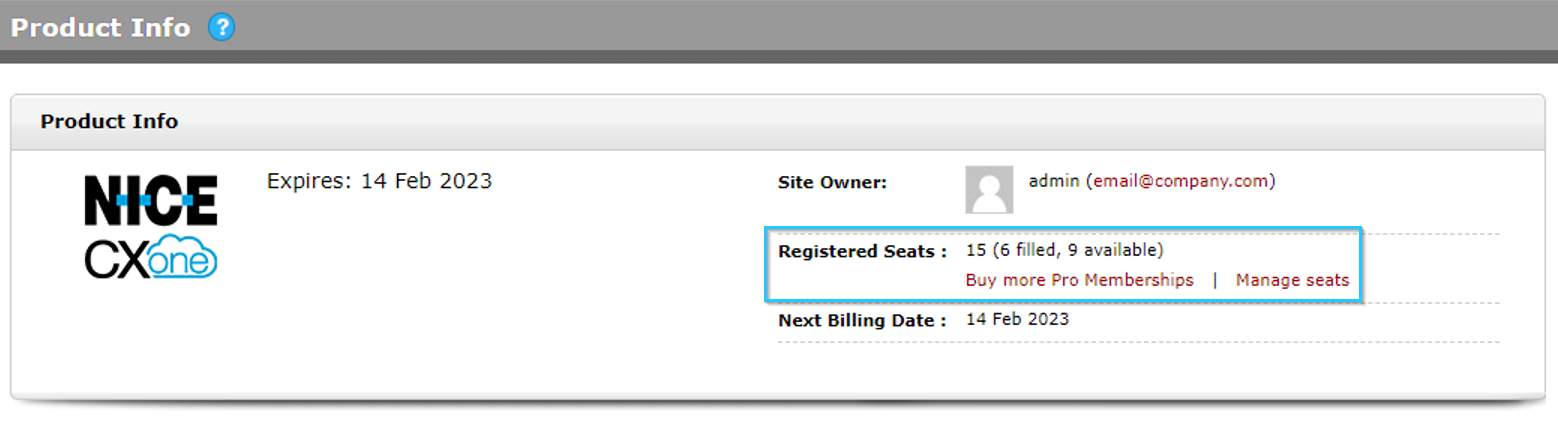
Expert Product Info screen showing number of filled and available seats

  • Was this article helpful?