Broken link alerts
- Applies to:
- CXone Mpower Expert (current)
- Role required:
- Admin
The NiCE KM site analysis feature allows users with administrative privileges to view on-page notifications for broken links and structural issues.
Page level alerts
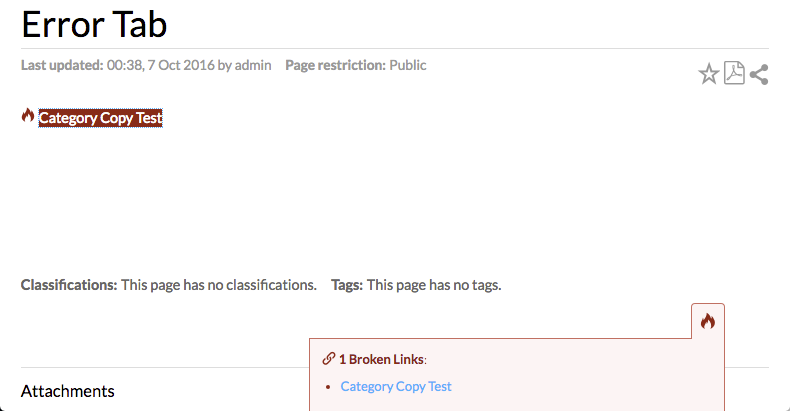
Page-level alerts show broken links and structural errors immediately notified while you are on the page. The error notification appears as a page alert tab  in the lower right-hand corner of the browser windowt, or as an alert icon next to the broken link.
View page alert details
To display details about the page alert notification, click the page alert tab in the lower right-hand corner.

Identify broken links
Click the linked text in the page alert tab to focus the browser on the broken link, highlighted in red.